It’s Monday morning and one of your user walks into your office panicked. Her laptop screen is dead and your support team won’t fix it. Another user comes in with a dead smartphone and the response is the same. Finally the CFO calls from home and her printer is kaput and yet no one from the IT team will help. Time to fire your IT firm?
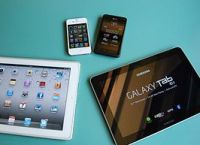
Image by HLundgaard
1. Decide how important BYOD is to your company and how much time techs can dedicate to supporting these devices (this could vary based on the importance of the user).
2. Decide what devices your team can support: Smart phones, laptops, desktops, networking equipment.
3. If BYOD is a major part of your IT solution, consider imposing restrictions and minimum capabilities for users:
a. machines must meet a certain requirements to be supported by your company’s tech team
b. your company might choose to support only one kind of smart phone
c. Users must have more current versions of important software.
4. Consider cloud based services for BYOD users. This makes their work less dependent upon the specific software installed on their machines.
In many of my recommendations you see the theme of standardization. The closer each device is in capabilities and software, the easier it will be for your team to support the devices. A good BYOD policy will allow your users some flexibility in the tool they use, but it needn’t be a free-for-all. And while controlling the service time for these devices is the topic of this post, the above considerations are also an important part of the security discussion as well. An un-patched and obsolete machine will require more time to work on and be far less secure; perhaps unacceptably so.
Have you considered supporting personal devices in your tech support agreement? Do you have a BYOD policy?
For additional information, check out our webinar on BYOD policies for nonprofits:
Wednesday March 25th at 3pm Eastern join Hugo Castro and Gozi Egbuonu to learn how to make the transition.
Fill out the form below to request a quote. We’ll be in touch shortly to discuss your needs and take the first step toward better nonprofit IT.